Student Performance Task Feedback Loop
eSpark Learning
Research, UX, UI
August - November 2015
Web, Tablet
Brief
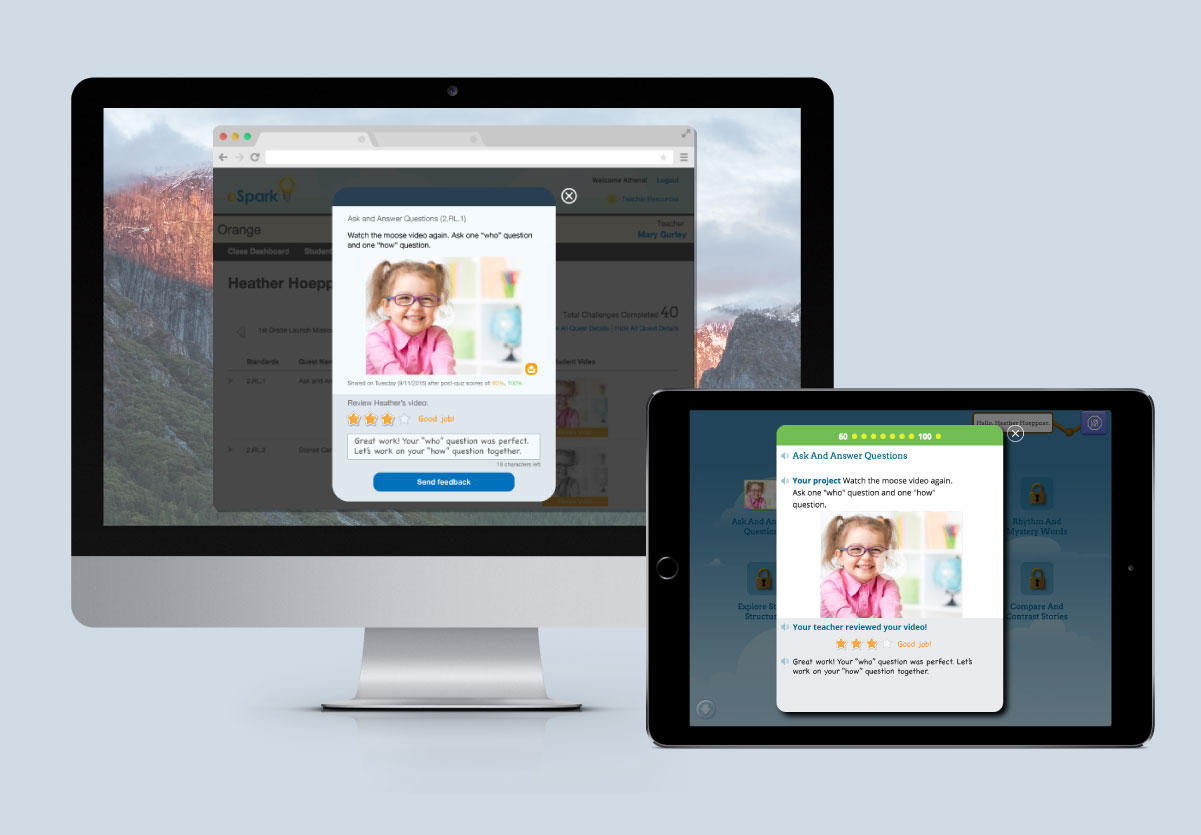
Create a quick and easy way for teachers to provide personal and meaningful feedback on individual student projects, allowing the teacher dashboard to communicate with the student-facing iPad app.
Context and problem
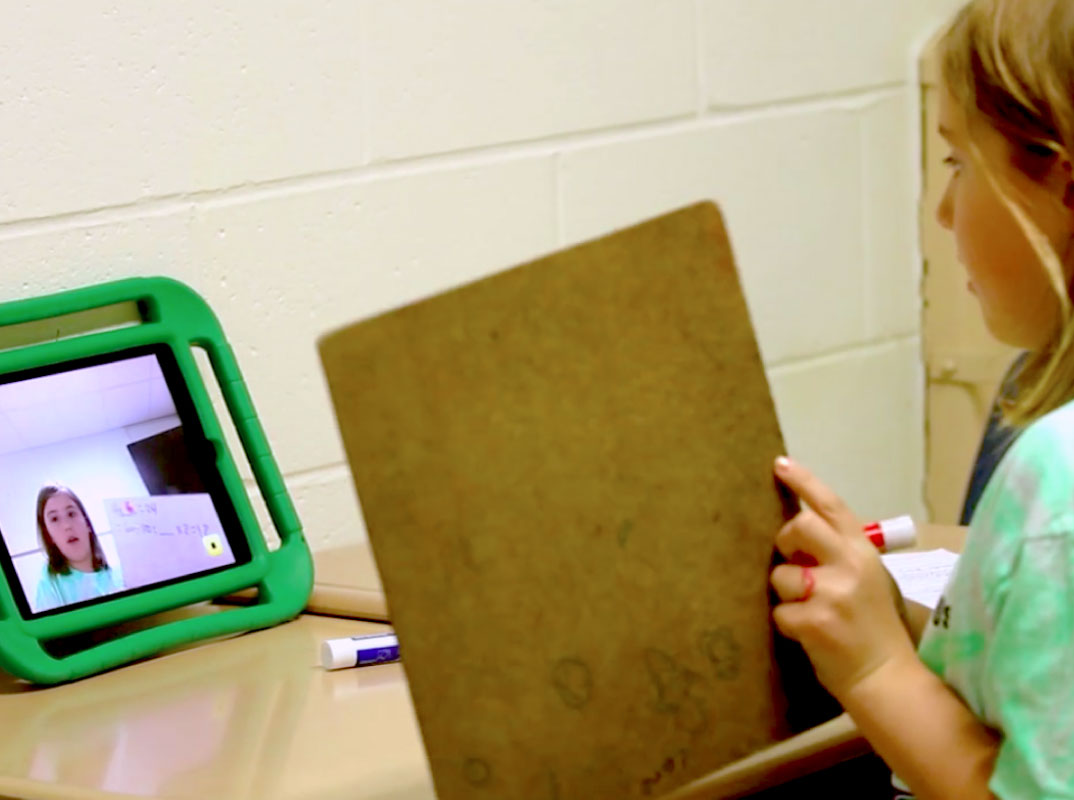
To demonstrate comprehension, students record a short video to teach back the skill they just practiced in a project called the eSpark Performance Task.
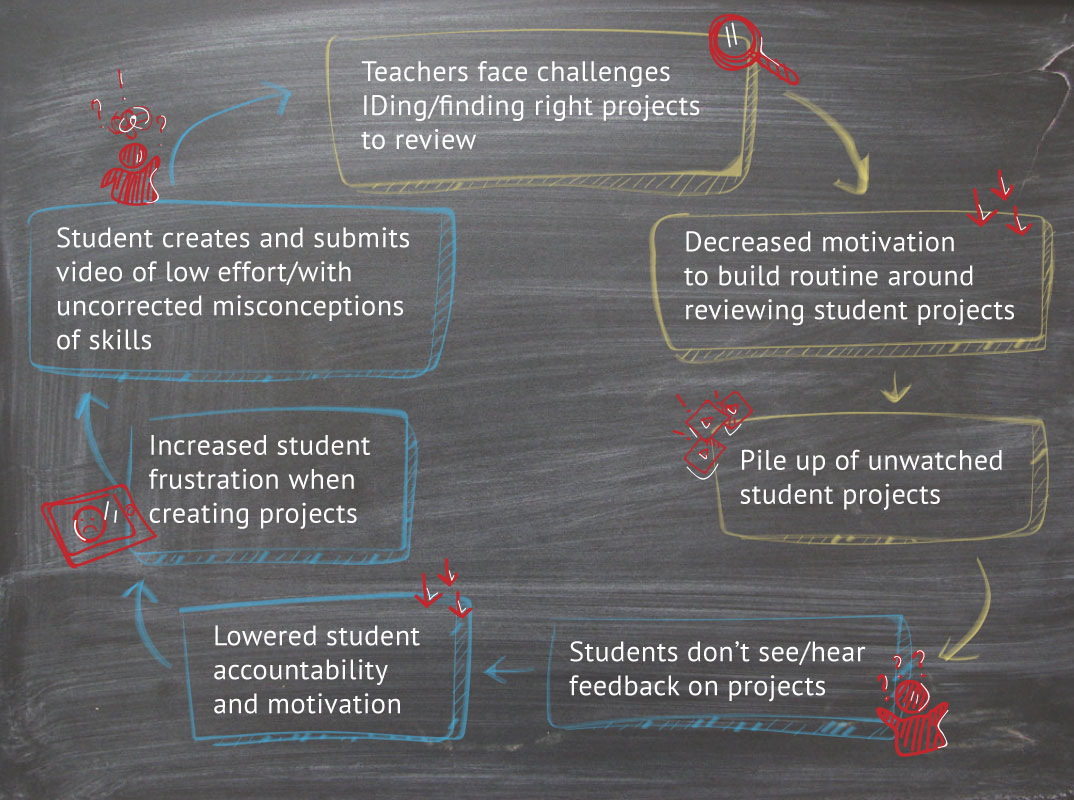
Without accountabiltiy and motivation for students, or ease of use for teachers, the Performance Task feature created a cycle of pain for both groups.
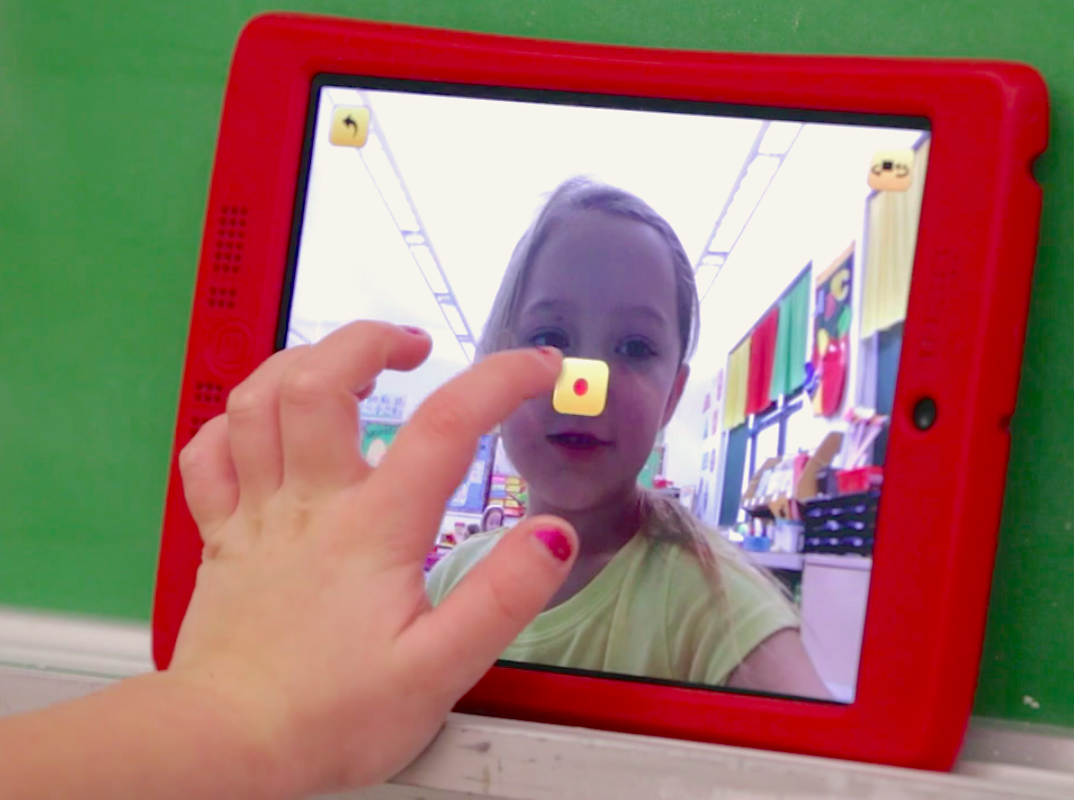
How might we improve the quality of student projects and increase teacher engagement with the eSpark product?
Process
Over the span of 4 months, a small and dedicated team of one Project Manager, one Software Engineer, and myself delved into this opportunity space.
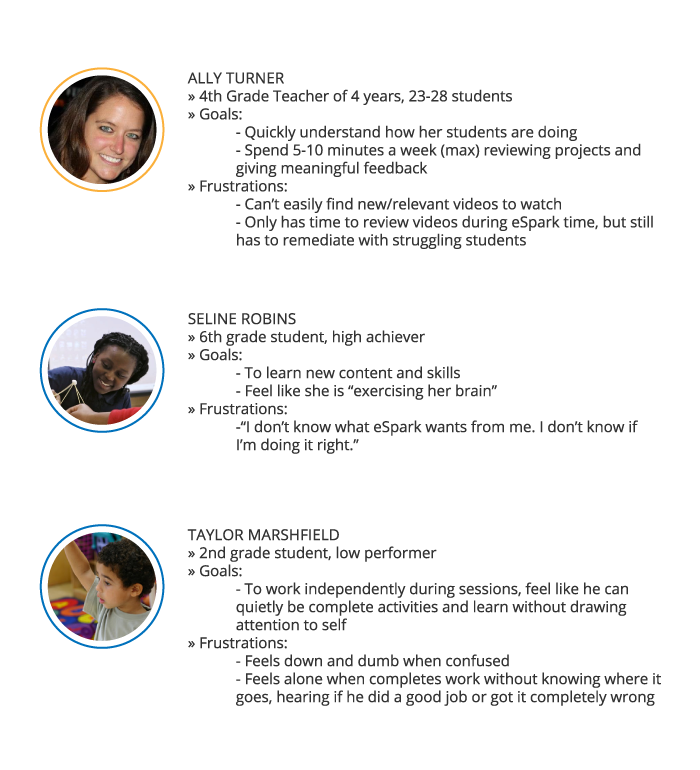
Personas determined from interviews conducted with kindergarten through 6th grade teachers and students.
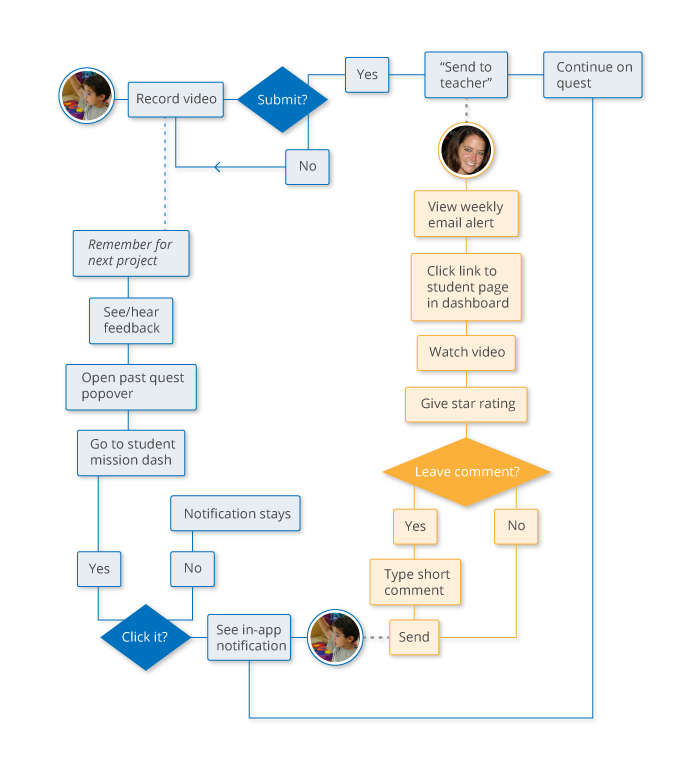
The feedback feature needed to ensure increased likelihood of a closed loop flow.
-
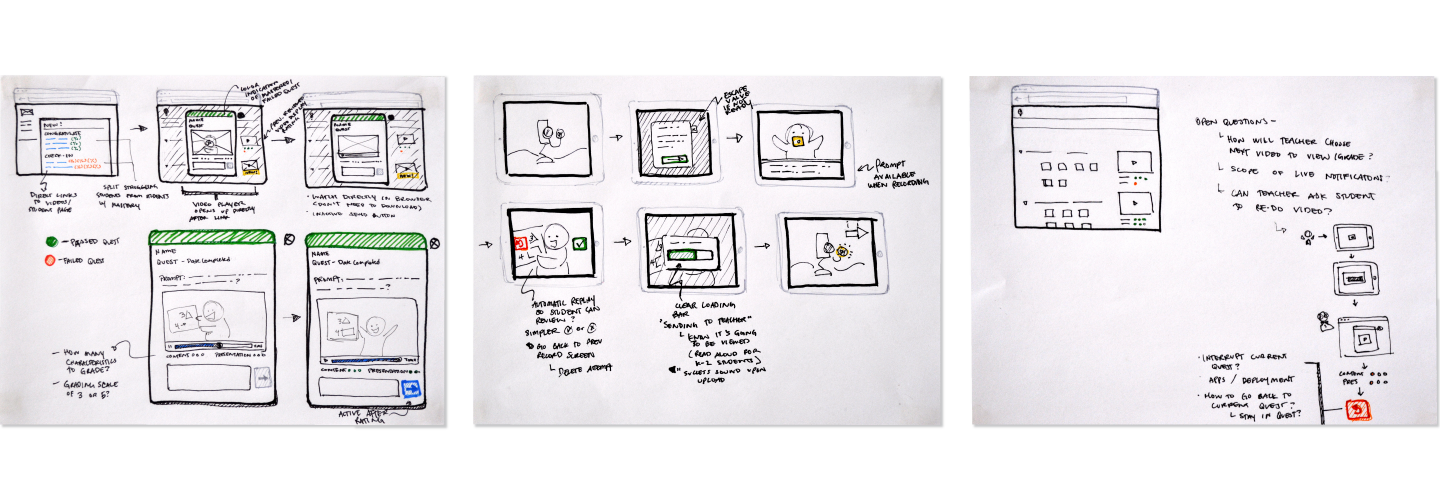
Sketches
-
Wireframes
-
Honing UI
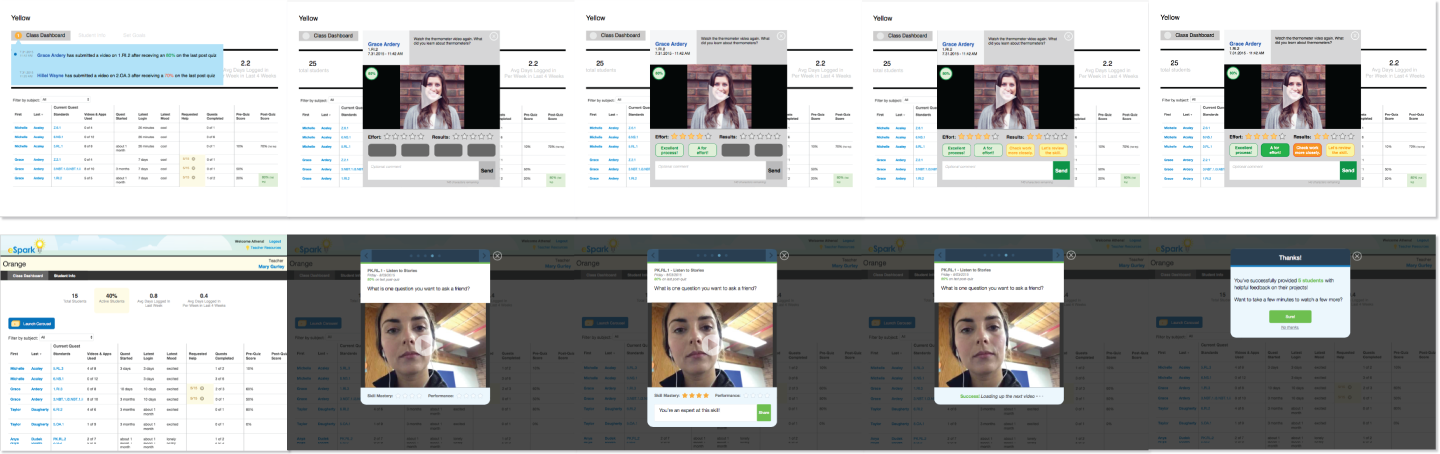
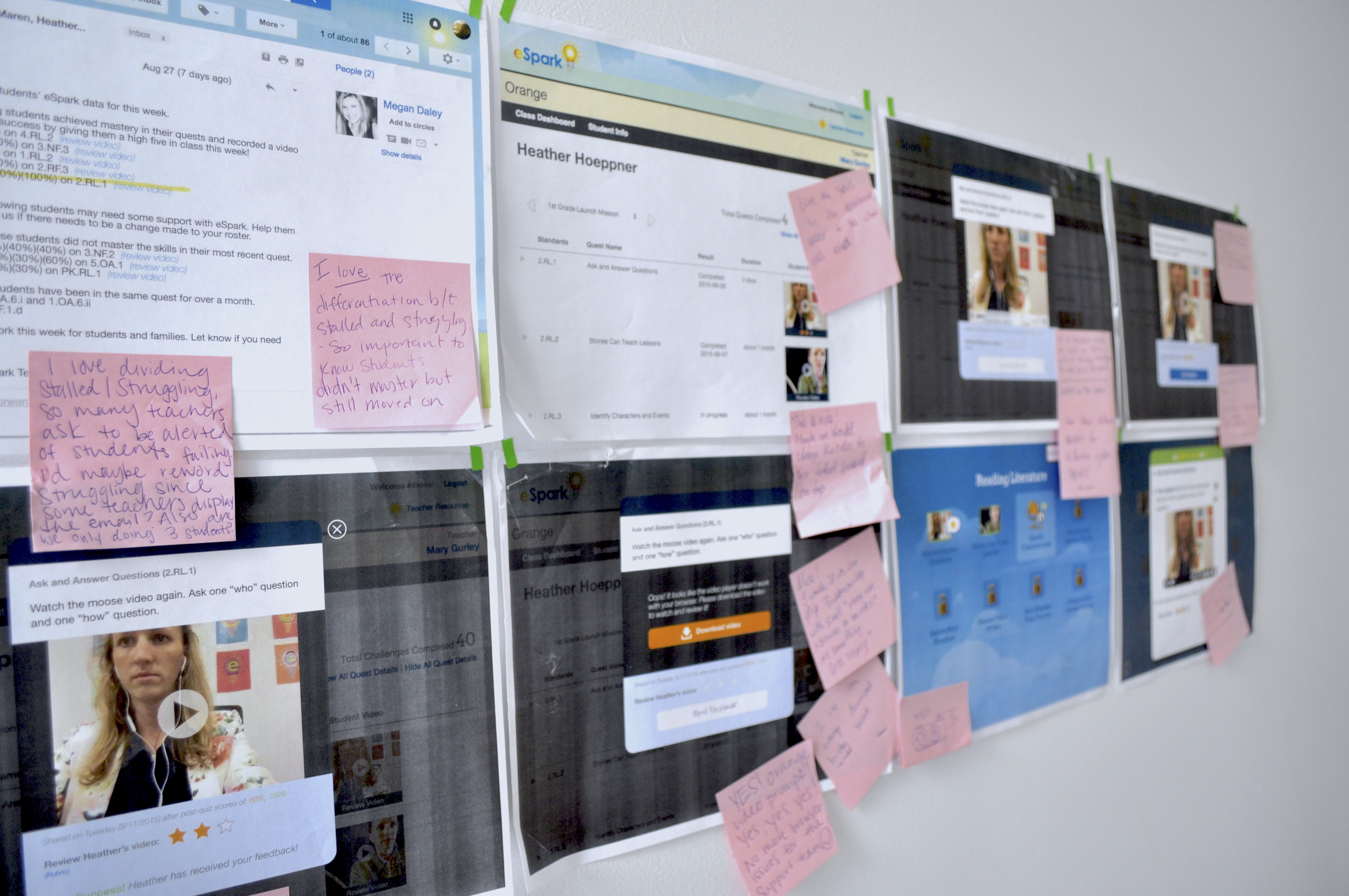
Listening to the experts
We leveraged our network of teachers to provide feedback on the flow and interfaces of the teacher experience, learning how they think through prioritizing students needs and project evaluations.
Closing the Feedback Loop
-
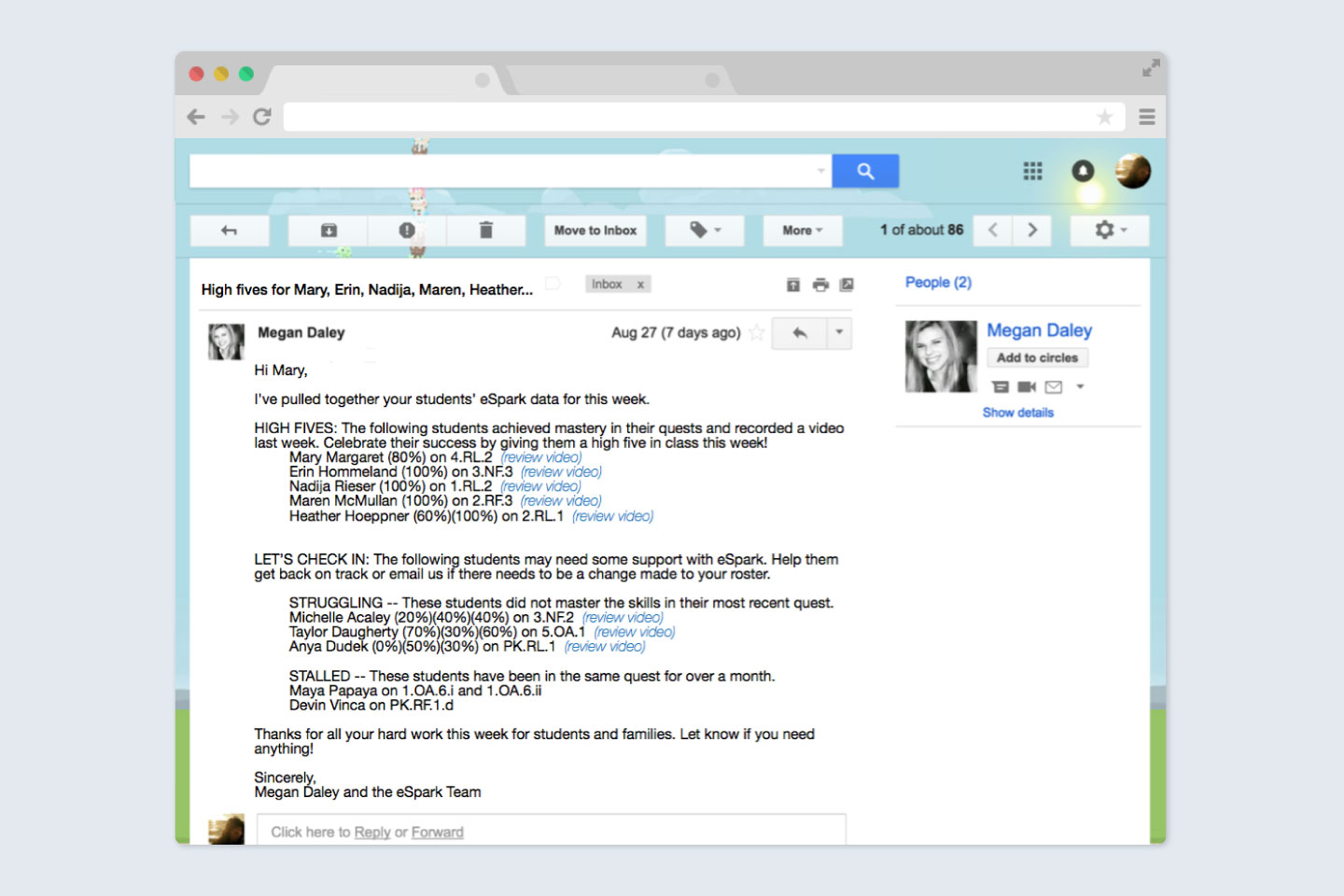
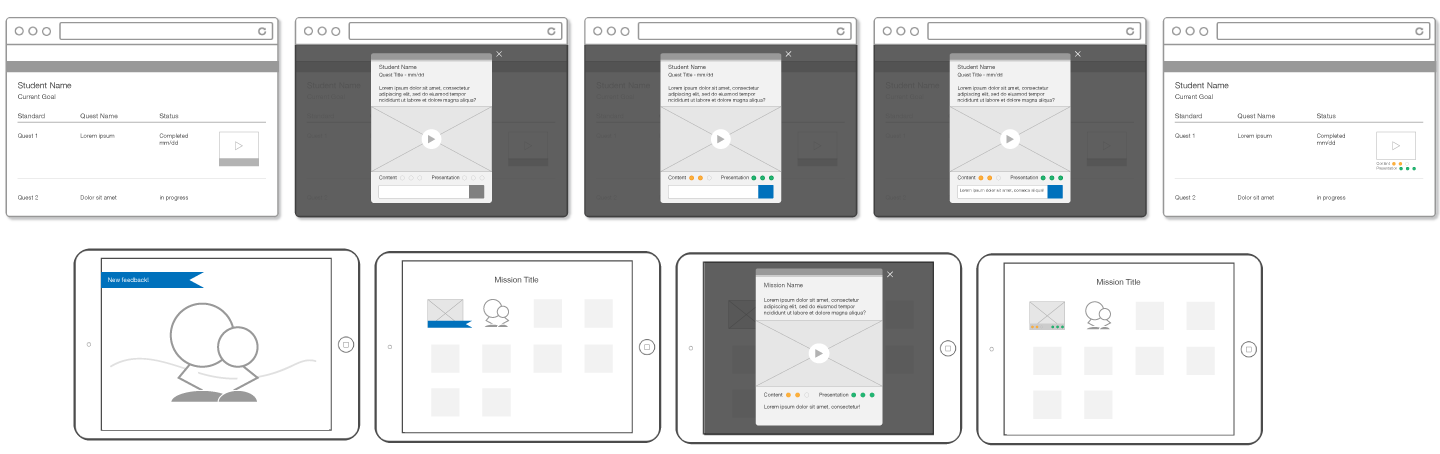
Teachers can easily find newly submitted videos through direct links in their weekly digest emails.
-
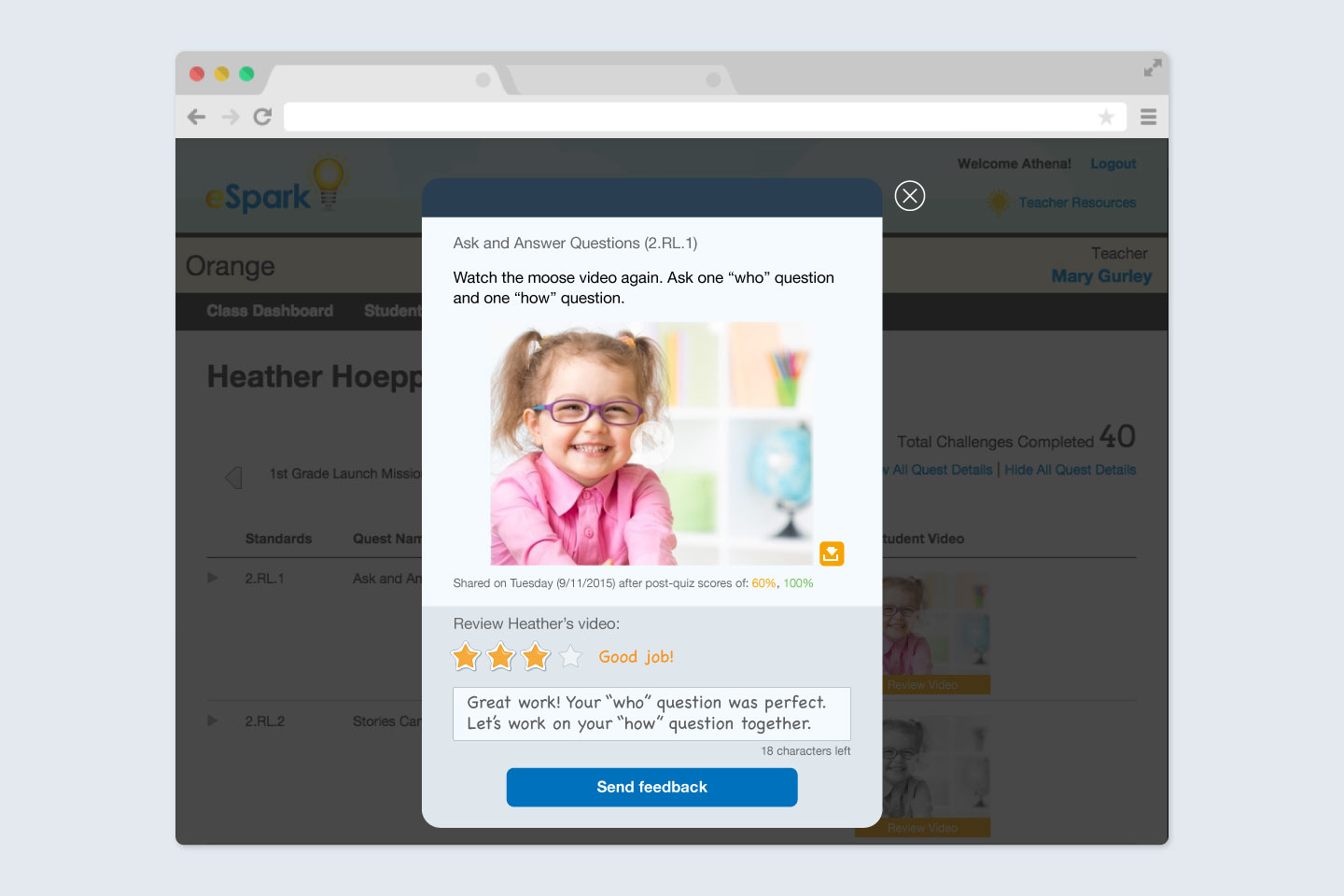
A video viewer pops up on the students individual drill down page; teachers can watch and rate videos will all necessary context right in their browser.
-
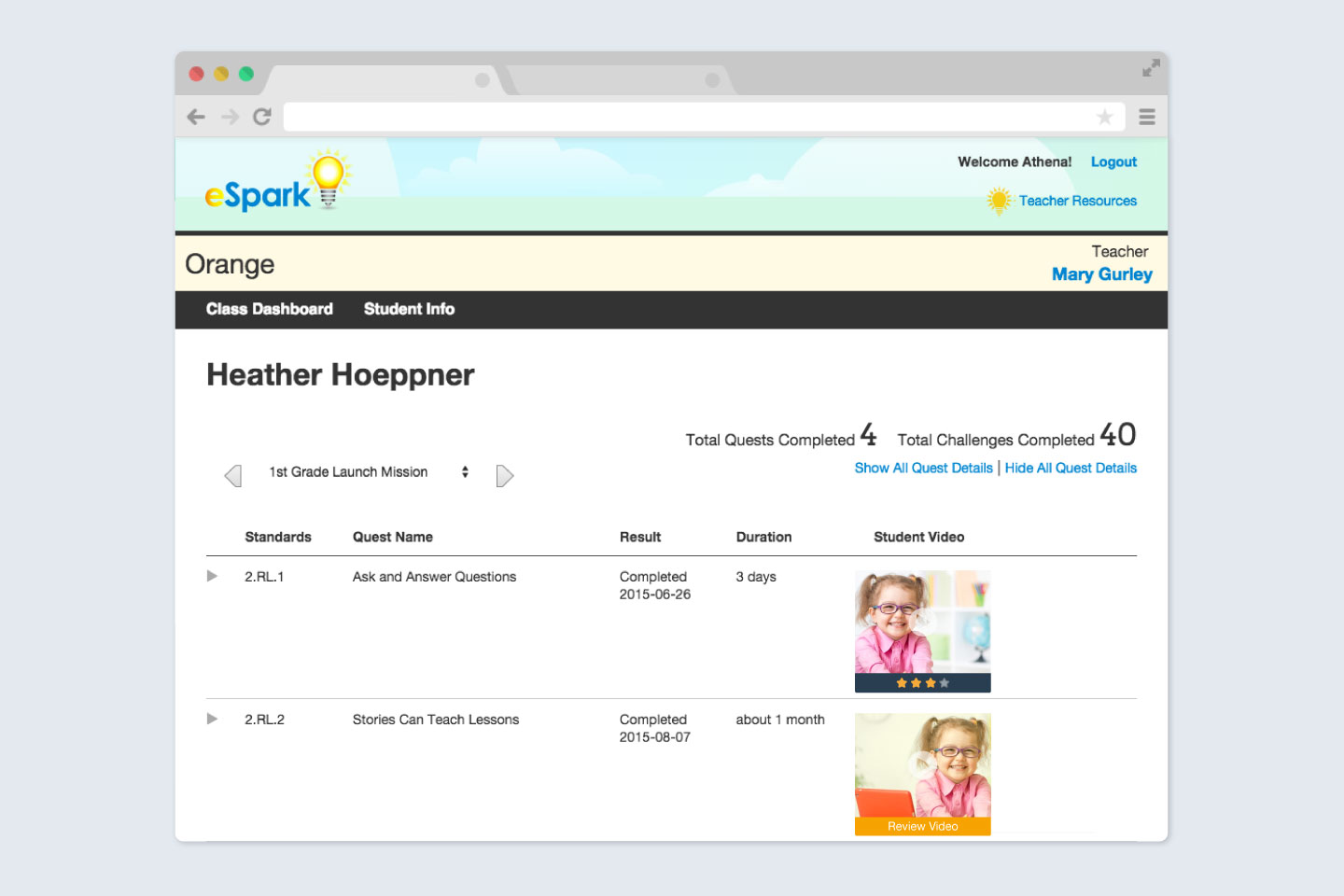
After sending feedback to his/her student, the teacher's dashboard updates to display the rating given.
-
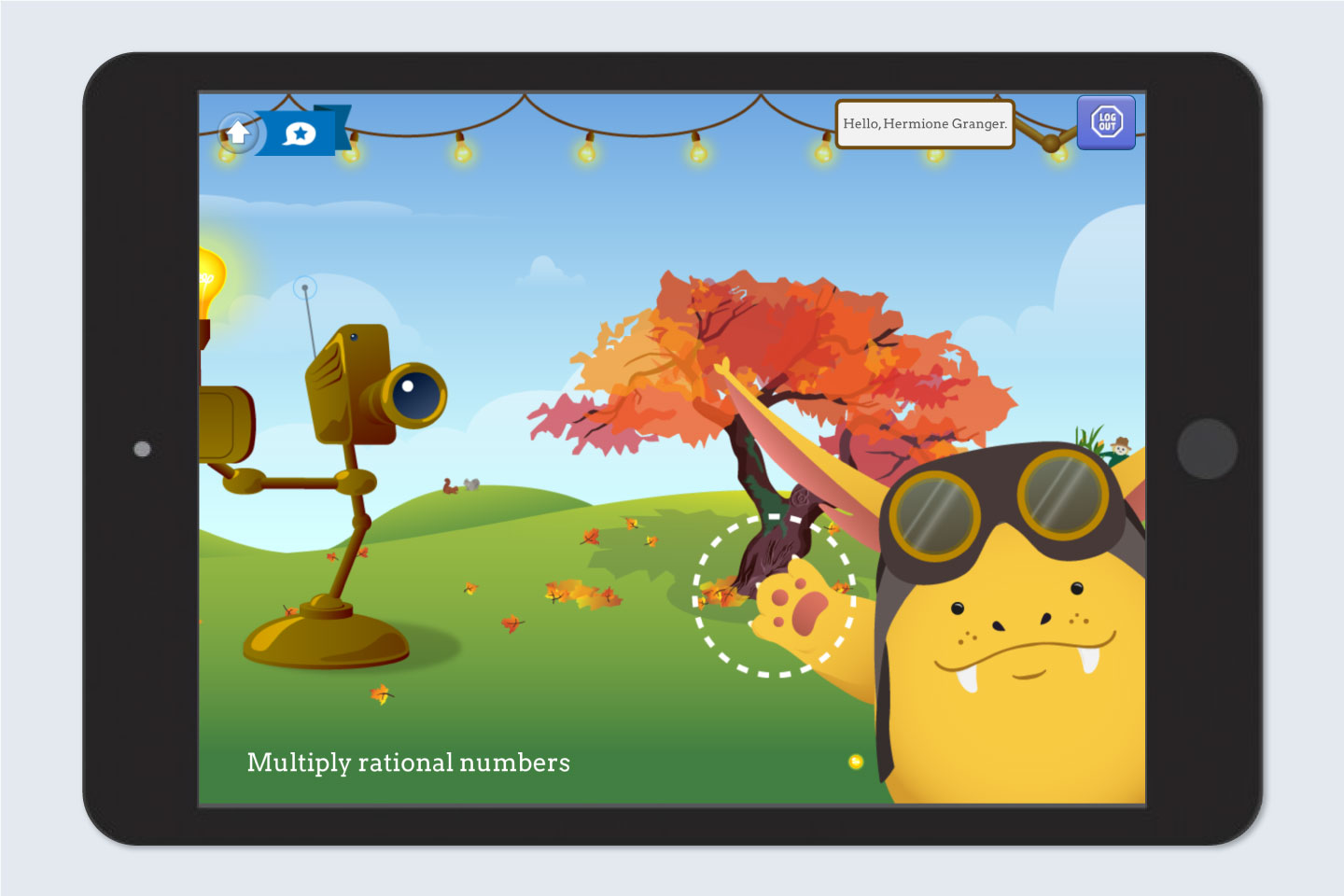
When a student logs into the eSpark app, a notification blinks in the corner alerting them to new teacher feedback.
-
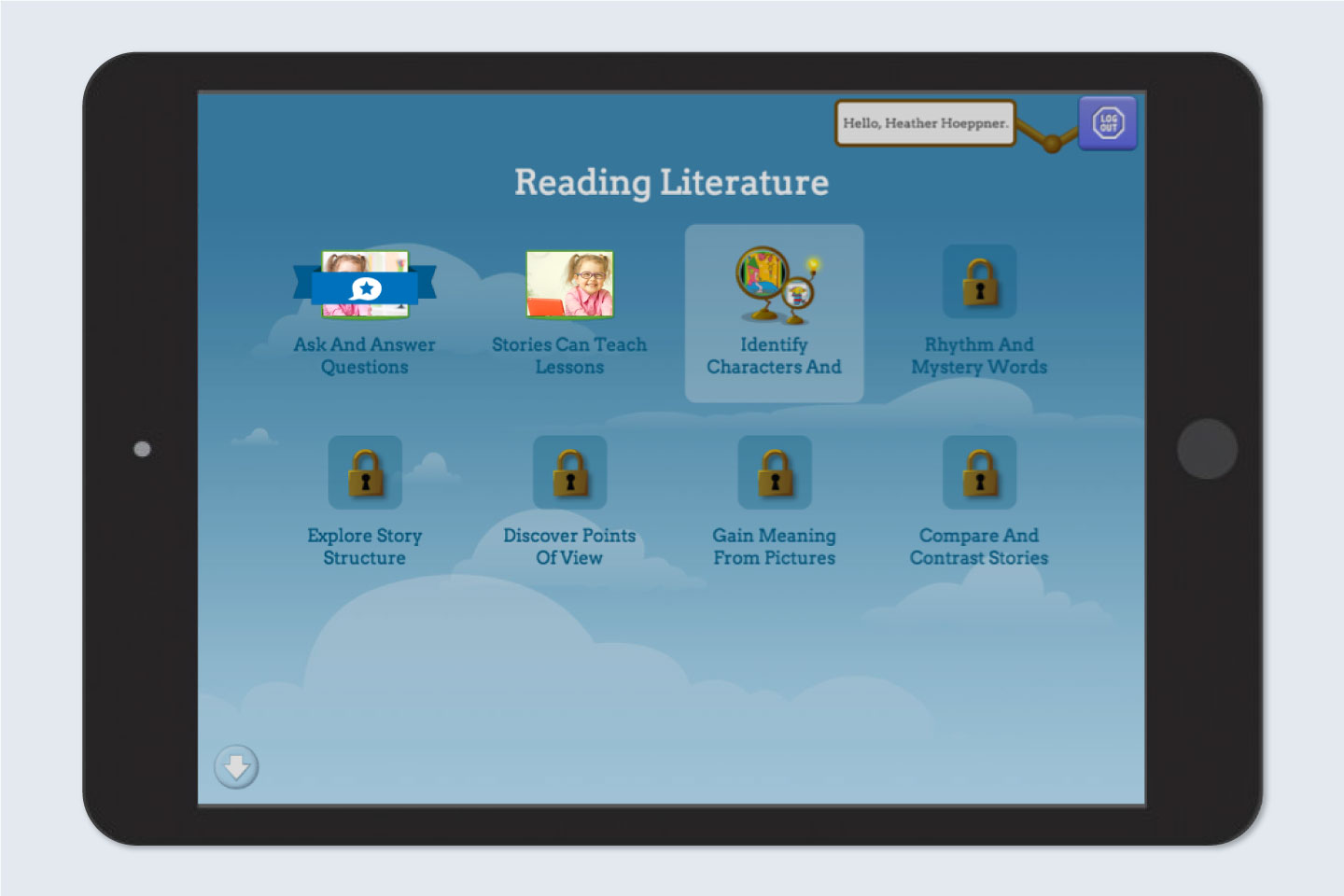
In the student mission dashboard, students can see which video, and from which quest, the feedback pertains to.
-
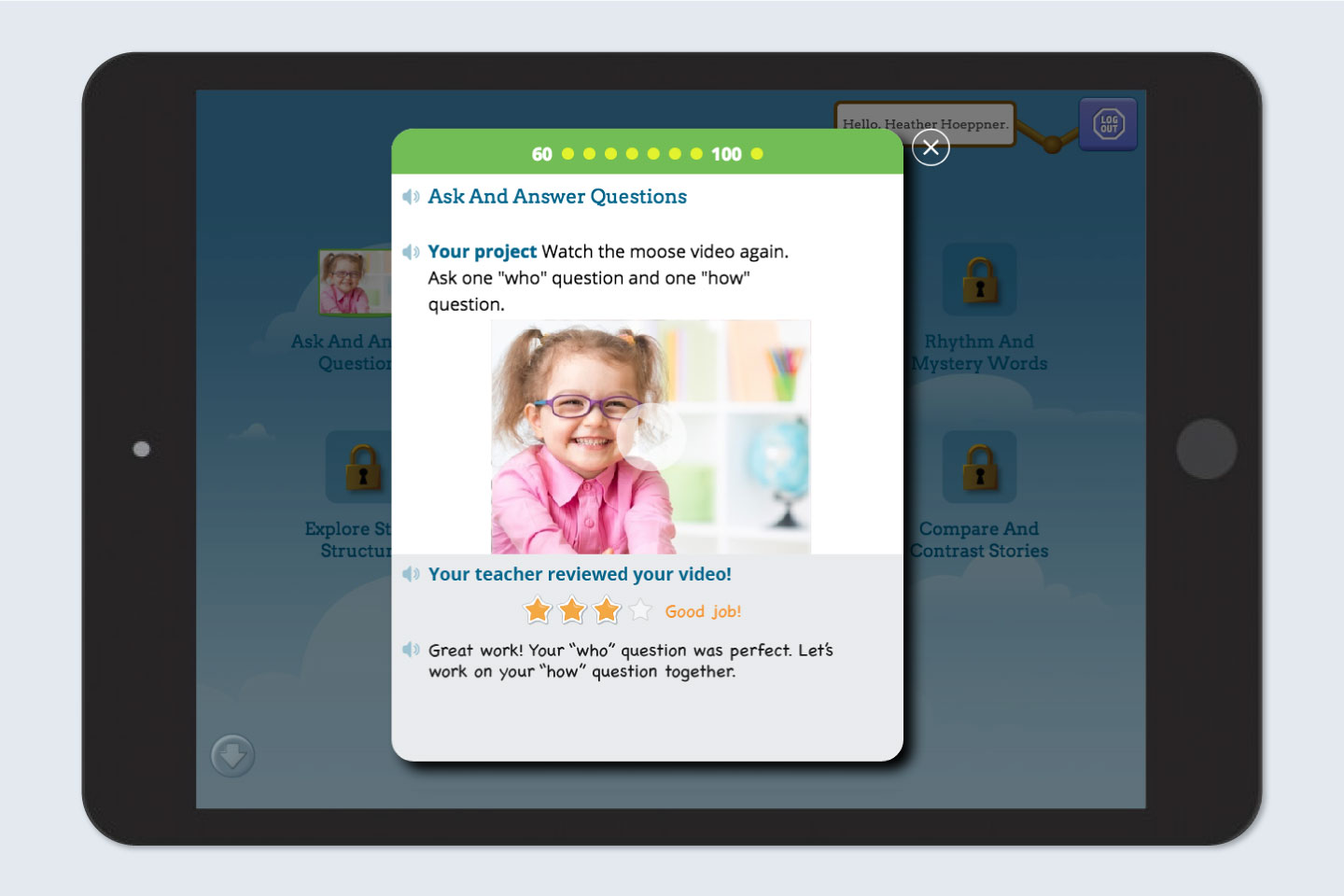
Students can see or hear their teacher's feedback in their previous quest popover while also reviewing their video.
The Results
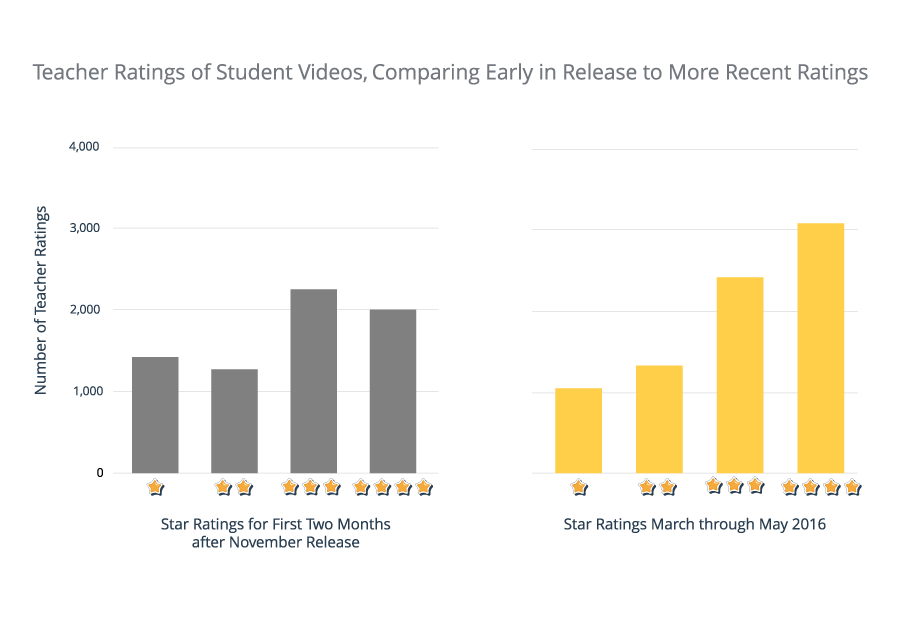
In the first 7 months after launch, over 32,000 student videos were graded and given unique feedback. We measured the star ratings students earned right after launch in November as well as ratings earned five months post-launch, comparing similar sample sizes.
Quality of student projects showed improvement as teachers demonstrated that they were engaging with students' efforts. At the end of the observation cycle, there was a 10% increase in percentage of 4 star ratings earned by students in addition a noticeable rightward lean.